 Chatixy
Add a support agent to your WordPress site
Install the Chatixy AI Support Agent plugin, click Connect, and your trained support agent answers visitors on every page - no code.
Official listing
Get it on WordPress.orgPrefer to paste the code yourself? The FAQ below covers the manual install.
WordPress
Install in 5 steps
Chatixy gives any WordPress site an AI support agent with the official Chatixy AI Support Agent plugin, listed in the WordPress.org plugin directory. It crawls your pages and posts, learns your content, and answers visitors instantly - escalating to your team when needed.
Install the plugin from your WordPress admin (search for "Chatixy" under Plugins → Add New), click "Connect with Chatixy" (or paste your widget key), and the chat goes live on every page - no theme editing and no code. It works on any theme and with WooCommerce.
Add Chatixy to WordPress
Create your agent
Sign up at Chatixy, add your site URL, and let Chatixy crawl and train on your pages and posts.
Install the plugin
In WordPress, go to Plugins → Add New, search for "Chatixy", click Install Now, then Activate.
Open the settings
Go to Settings → Chatixy AI Support Agent in your WordPress admin.
Connect with Chatixy
Click "Connect with Chatixy" to sign in and approve - your widget key fills in automatically. Or paste your widget key manually.
You are live
The chat appears on every page right away. Manage the support agent look, knowledge, and your plan from the Chatixy dashboard.
See Chatixy on WordPress in action
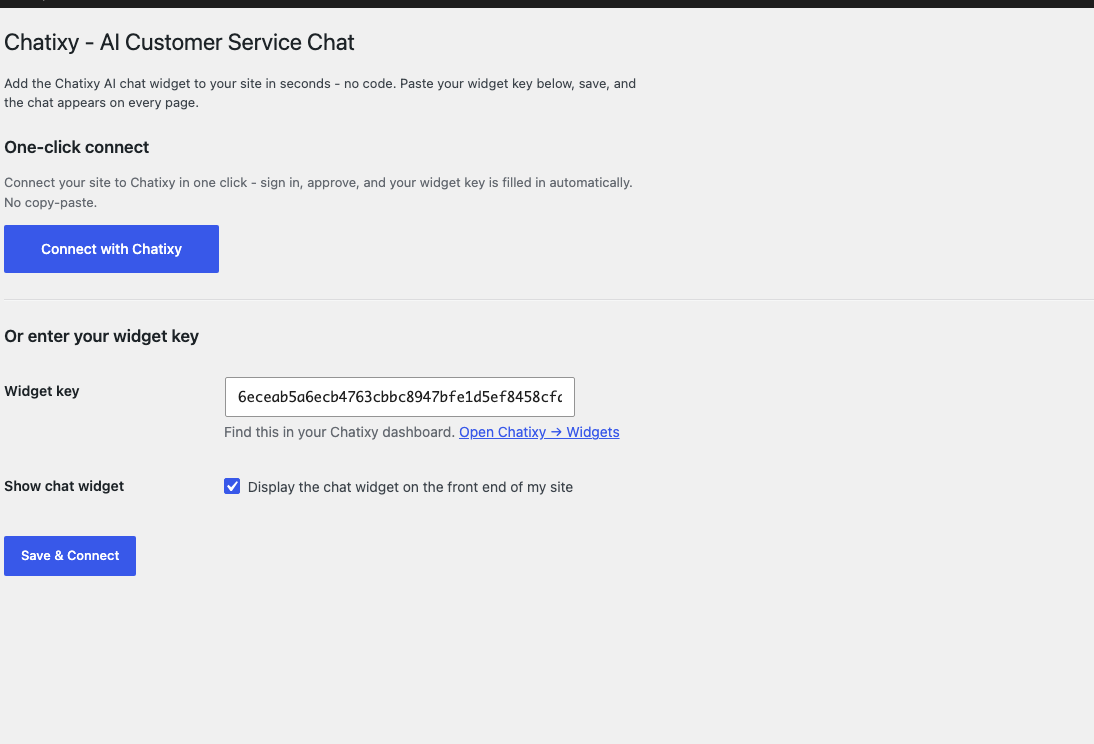
Install the plugin and connect
After installing the plugin, open Settings → Chatixy in your WordPress admin and click "Connect with Chatixy" - or paste your widget key. No code, no theme editing.
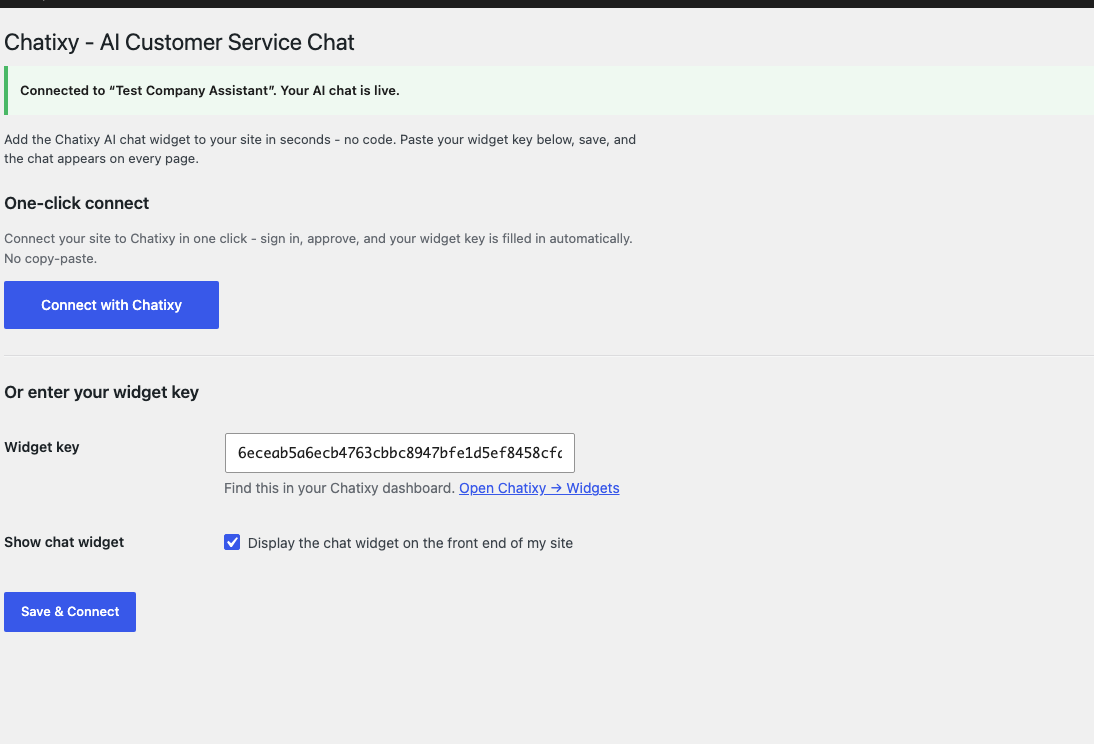
Confirm your chat is live
A green banner confirms the connection and shows your support agent name. That is it - the AI chat is now active on your site.
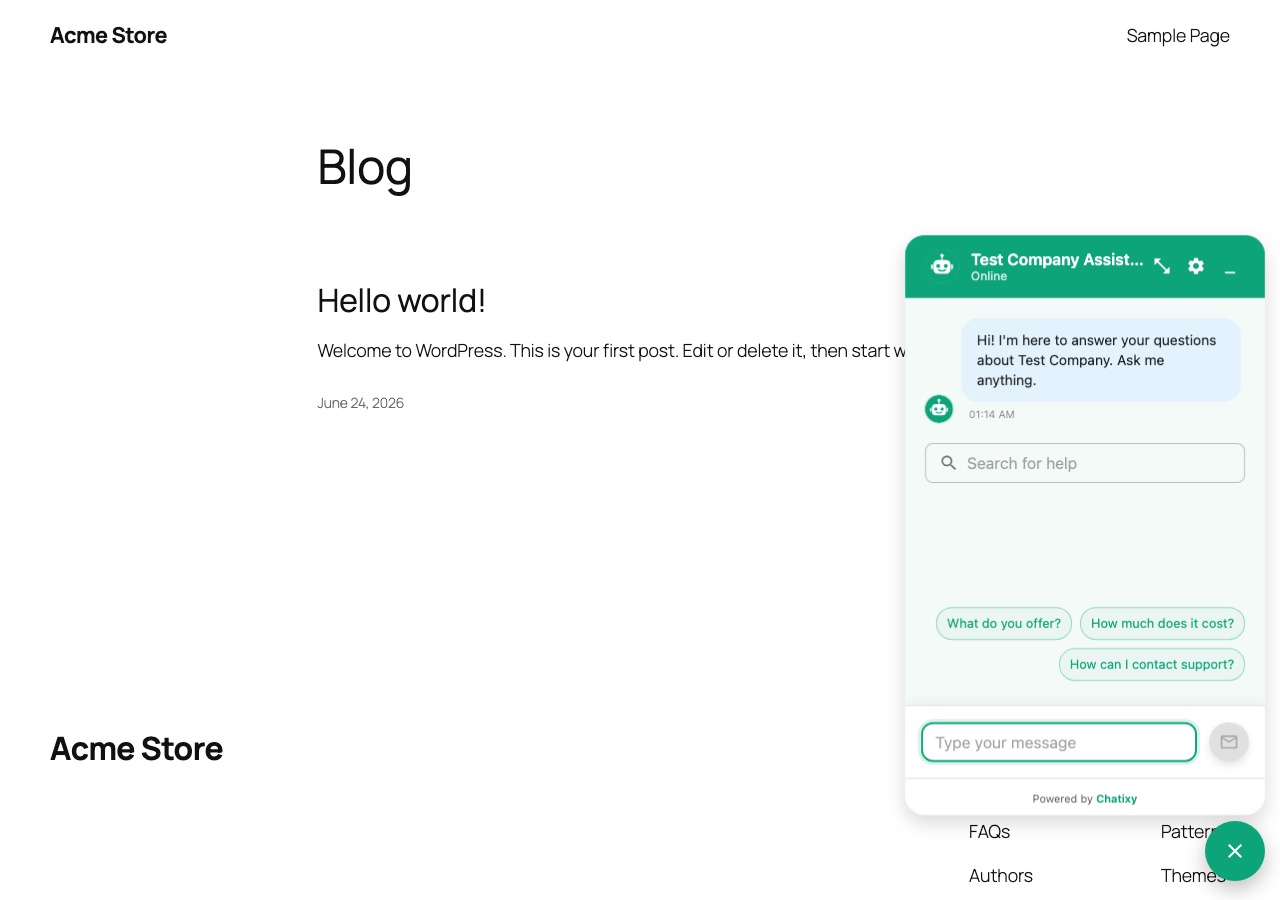
Answer visitors on every page
The Chatixy support agent appears in the corner of every page, instantly answering your visitors from your own content.
Chatixy on WordPress
Is there a Chatixy WordPress plugin?
Yes. The official Chatixy AI Support Agent plugin is listed in the WordPress.org plugin directory - search for "Chatixy" under Plugins → Add New in your WordPress admin, or see https://wordpress.org/plugins/chatixy-ai-customer-service-chat/. Install it, click "Connect with Chatixy" (or paste your widget key), and the chat is live on every page.
Does it work with WooCommerce?
Yes. WooCommerce runs on WordPress, so the same plugin works on your store, and Chatixy can train on your product and policy pages to answer shopper questions.
Will it work with my theme?
Yes - the plugin is theme-independent and the chat appears on every page once you connect, with no theme editing.
What your customers get once it is connected

Live demo
A scripted demo - every feature you see ships out of the box.

Launch on WordPress today
Train Chatixy on your content and paste one snippet - start with a 7-day trial.